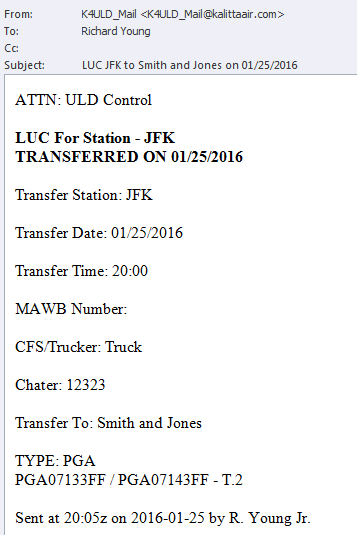
From any screen, go to the Transactions
menu item and select ULD Send To
Customer (LUC Message). The screen opens.
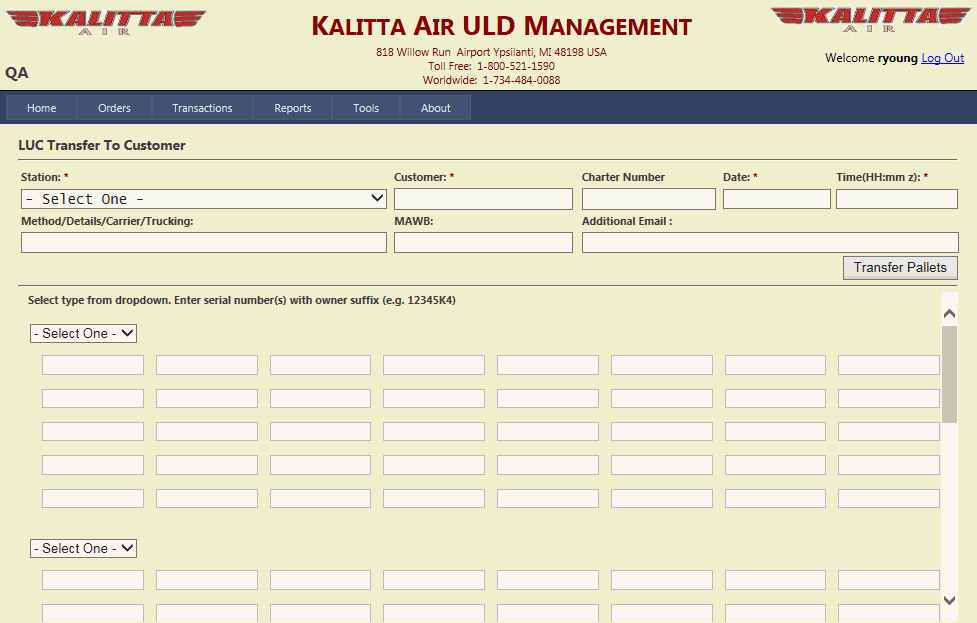
Select a Station from the dropdown - * Required
Enter the Customer name - * Required
Enter the Charter Number - * Required
Enter the Date and Time (hh:mm using Z time) of the transfer - * Both Required
Enter a Method/Details/Carrier/Trucking - * Required
Enter the MAWB, as needed.
Enter Additional Email, as needed.
Select [pallet] type from dropdown. Enter serial number(s) with
owner suffix (e.g. 12345K4)
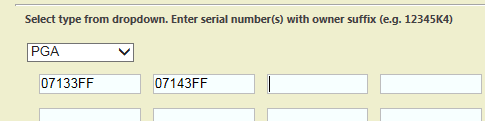
Select another pallet type, as needed.
Click Add
Pallets. The pallet transfer information is saved...
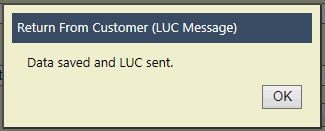
... and the LUC is sent.